
In the first Blog, we covered how SAP introduced a new data modeling infrastructure in the form of Core Data Services and how a CDS view is different from SE11 view. The focus of this blog will be entirely on the steps involved in creating CDS View using Eclipse, on different types of CDS views, and on how to use CDS view in ABAP program
It is very important that a developer understands that technically, CDS is an enhancement of SQL which provides a Data Definition Language (DDL) for defining semantically rich database tables/views (CDS entities) and user-defined types in the database. Unlike the SAP HANA CDS, ABAP CDS are independent of the database system. The entities of the models defined in ABAP CDS provide enhanced access functions compared with existing database tables and views defined in ABAP Dictionary, making it possible to optimize Open SQL-based applications. And it is because of these unparalleled advantages that ABAP CDS is the most preferred form of methodology when it comes to Code to Data paradigm.
When creating a CDS view in ADT tool, 2 entities get created.
Following points should be considered for DDL SQL view and CDS view entity:
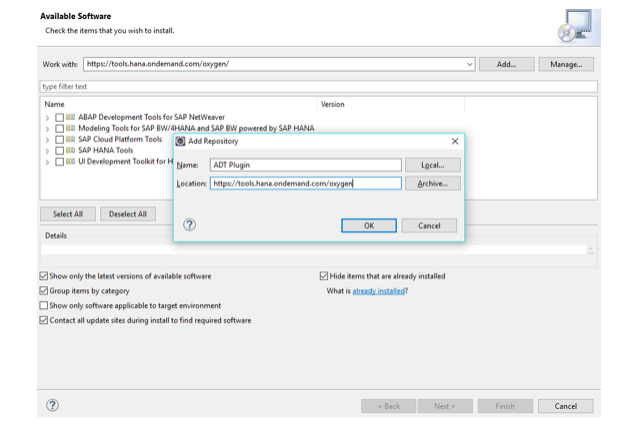
First, prepare development environment for CDS view. Eclipse is a tool where a user creates ABAP developments on HANA. Before downloading eclipse, ensure that JRE and SAP GUI are available on system. Once Eclipse has been installed, open it by a double-click on its icon. Now, get ADT plugin to connect with ABAP backend system. Go to HELP-> Install new software. Click on the ADD button, give a name to plugin and location as a site (https://tools.hana.ondemand.com/oxygen)
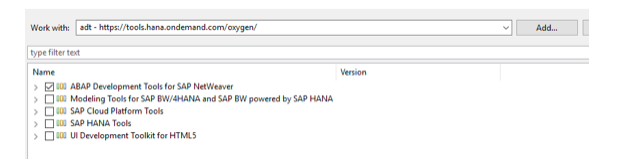
Choose ‘ABAP Development tools for SAP Netweaver’
 Click on next, accept terms and agreement, finish this process. Wait for 2-3 minutes, Eclipse will ask for a restart for itself. After restarting eclipse, click on the workbench icon.

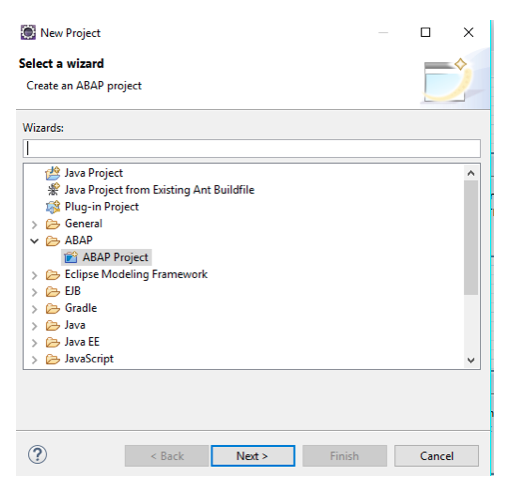
Click on next. Enter system information.
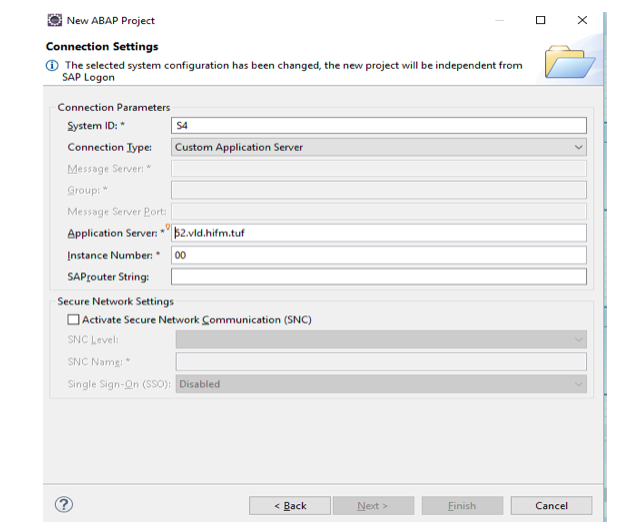
Click on next button. Enter username and password.
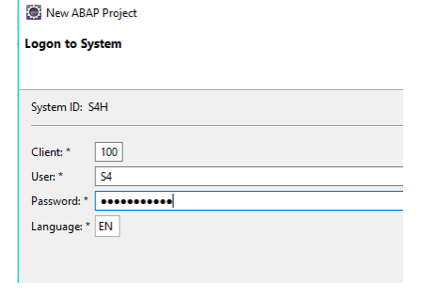
Click on next. It will ask for the project name. Enter the project name and finish this process. Choose ABAP perspective. The project will be available with folder Local objects($tmp).
Right click on local object folder. Go to new->other ABAP repository objects->core data services->Data definition or search for DDL source.
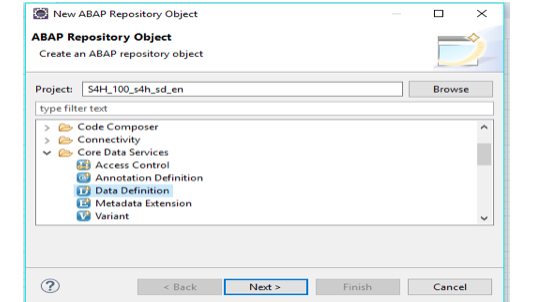
Click on next. Give a name of CDS view.
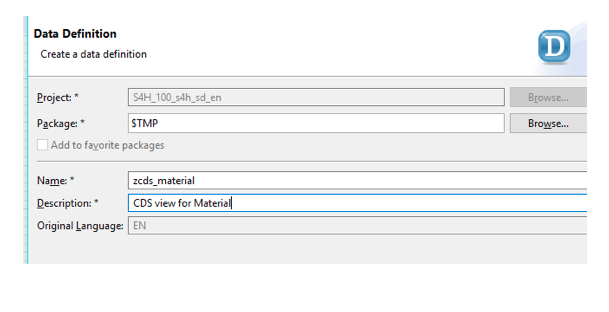
Click on next. Next screen would ask for a transport request, assign a new name to it.
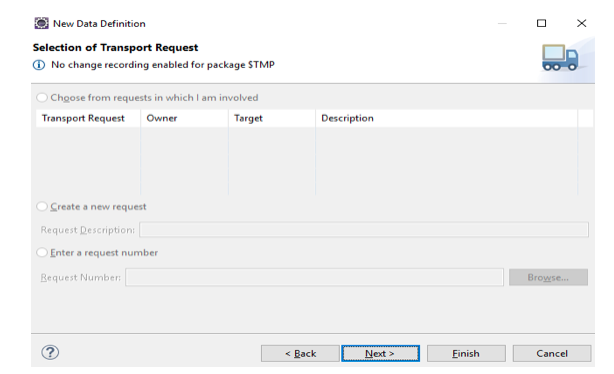
Click on next. Here it will ask to choose one template for CDS view. There are 5 options available, I have chosen the 1st option.
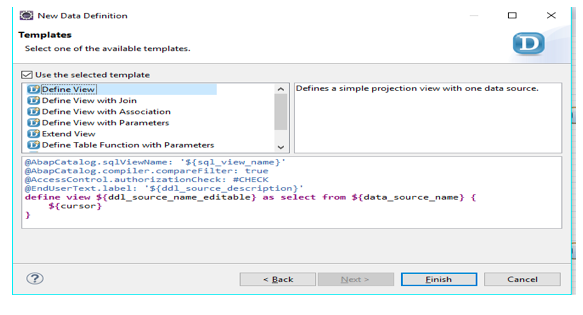
Click on finish. It will open CDS view in source code editor where provide a name for DDL SQL view i.e. visible in SE11 and data source name(table name). Notice how the description and CDS view name is already assigned here.
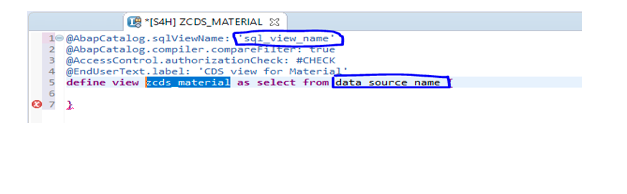
Below example is a display of material information from MARA table. Save and activate view.
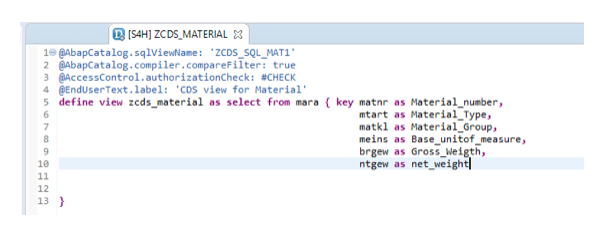
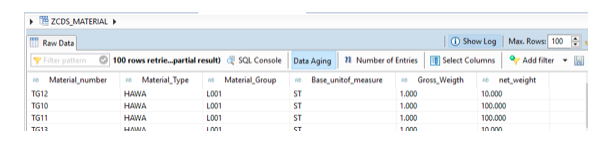
Run as ABAP objects. In the above example, CDS view ZCDS_SQL_MAT1 is visible in SE11. But view ZCDS_MATERIAL is not available in SE11.
With this developer can pass parameters to CDS views which can be used in where clause of a select query. For example, if it is required to fetch material data for a plant then pass plant as parameters. You need to use ‘$parameters’ with parameter’s name.
When it is required to fetch data from multiple tables, use joins. CDS supports inner join, left/outer join and cross joins. There is no limit on the number of join expressions in a SELECT statement of a CDS view in the DDL, but there is an ATC check that produces a message once a specific number of expressions is reached. In nested join expressions, parentheses are recommended for making the code easier to read. In the case of inner and outer joins, the parentheses can be specified wherever the ON conditions specify parentheses implicitly.
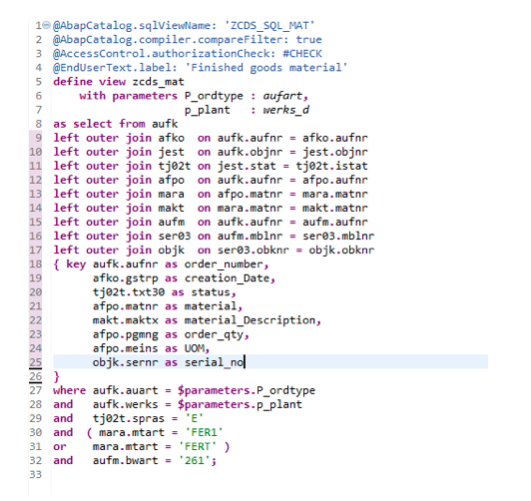
Below is an example of CDS view with joins and parameters where order type and plant number is passed as a parameter to fetch all order numbers, order status, material number and serial number information where material type is ‘finished goods' and movement type is ‘261’.
Associations allow us to replace joins with simple path expressions in queries. Association is basically not a join as such, it is just metadata about possible join connections. It’s Join on Demand. Actual join is created when the association is used in a path expression.
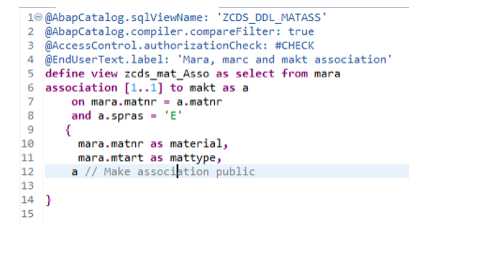
To understand how the association works, have a look in below CDS view where a CDS view with the association on table MARA, MAKT is created.
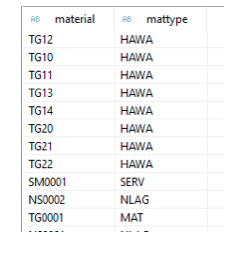
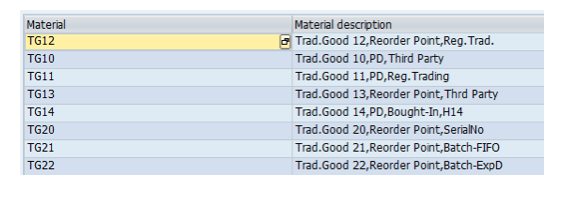
 The above CDS, when executed, will give the below output.
 It means no joins have taken place in association on table MARA and MAKT. This association will work when it is specifically called in path expression in the select query. Find below example where CDS view is called in select query and association is also called in select query path expression.
The above CDS, when executed, will give the below output.
To understand how the association works, have a look in below CDS view where a CDS view with the association on table MARA, MAKT is created. The above CDS, when executed, will give the below output. It means no joins have taken place in association on table MARA and MAKT. This association will work when it is specifically called in path expression in the select query. Find below example where CDS view is called in select query and association is also called in select query path expression.
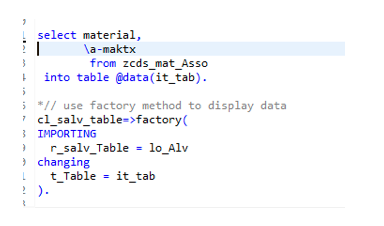
By default, association gets converted into the left outer join. To make association as an inner join, specify it as view itself. In association, cardinality shows a minimum and a maximum number of records, it does not show one to one or one to many relations.
To summarize, an ABAP CDS, because of its abstract data modeling techniques, is much more significant compared to the options that were available earlier in the data dictionary. The different types of ABAP CDS provide the whole plethora of using this abstract data modeling techniques thereby making it possible to write easier yet semantically enriched data models for different kinds of applications, for example, search applications, analytical applications, and transactional applications. The application logic is moved from the application server to the database server ("code push down") and the data is processed where it is saved, thereby improving the performance.
For first part of blog refer to: Technical Overview of CDS View – SAP HANA Part I