
In many industries such as the medical devices industry, Food processing, Manufacturing, etc., any machine downtime means lost production volume which results in loss of thousands of dollars of revenue. According to Analyst firm Aberdeen Research, 82 percent of companies have experienced unplanned downtime over the past three years and that unplanned downtime can cost a company as much as $260,000 an hour!
In the medical device industry, the cost of downtime of medical equipment measures up to thousands of dollars for a single machine like an MRI machine. It also results in delayed patient care which leads to low hospital ratings. According to a report by Deloitte, higher patient experience ratings are associated with higher hospital profitability, with hospitals garnering excellent patient ratings having a net margin of 4.7% compared to only 1.8% for hospitals with low patient ratings.
So, in situations where there is a machine downtime involved, it is crucial to deploy service resources aka technicians quickly in order to reduce this downtime. Moreover, it is expected that skilled resources be assigned to fix the issue at hand. In many cases, the company is either not able to deploy skilled technicians or is not able to deploy service resources quickly enough. As a result, an increased downtime comes at a cost of losing customer trust & productivity and sometimes even financial loss.
To cater to the above two requirements of assigning the correct taskforce and assigning it timely, companies can utilize the planning and dispatching module in SAP Field Service Management (FSM). SAP FSM usually involves dispatching workers or contractors to a location outside company premises to install, maintain or repair equipment, systems or assets. In order to do so, it provides the users with a planning board where the dispatcher can assign service orders accessing various criteria like skills, availability, equipment, and much more. This planning board acts as a key driver to solving the problem because all the relevant information is made readily available on it, therefore it becomes easy for the user to assign the service task force that is skilled and is available to take a prompt action.
A Job is structured into Service calls and each call has multiple activities associated with it. When a customer raises a request for a particular service, a “Service Call” is created. Each service call will have multiple tasks (meeting, appointments etc.) to be carried out and these are listed under “Activity”.
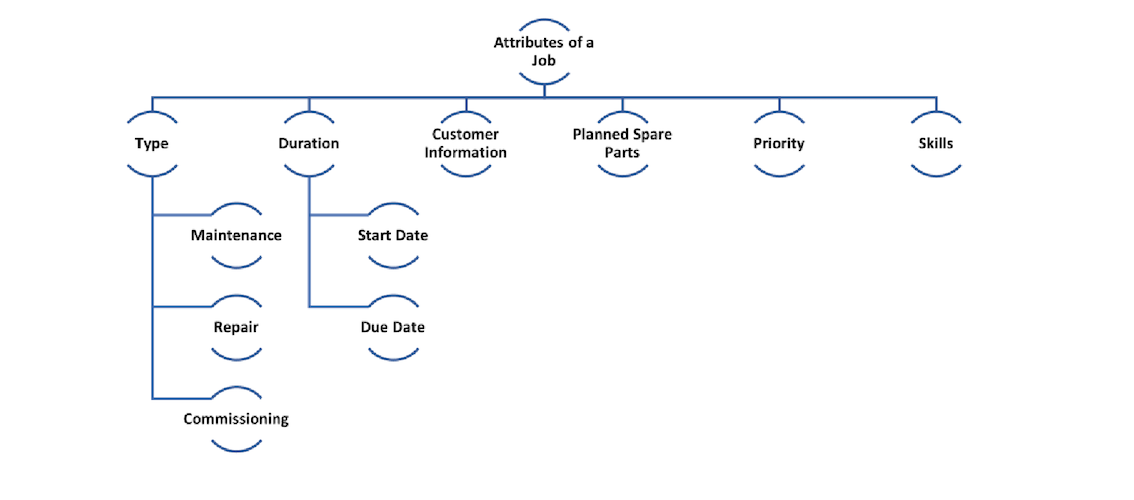
A job has certain attributes that help dispatchers in making the right scheduling decision.
Dispatchers have four options of scheduling methods namely, Direct Planning, Assisted Manual Planning, Automated Planning and Automated Sourcing. The latter two methods are based on business rules & event triggers and crowd service respectively. However, the scope of this blog has been limited to the first two methods of scheduling which are:
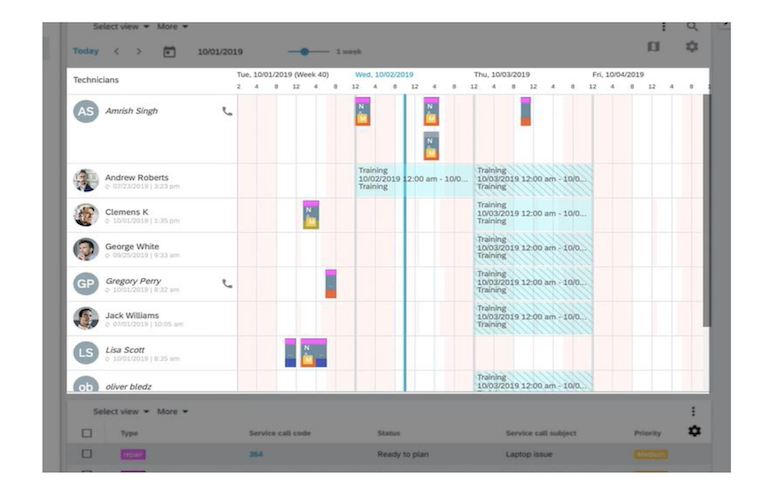
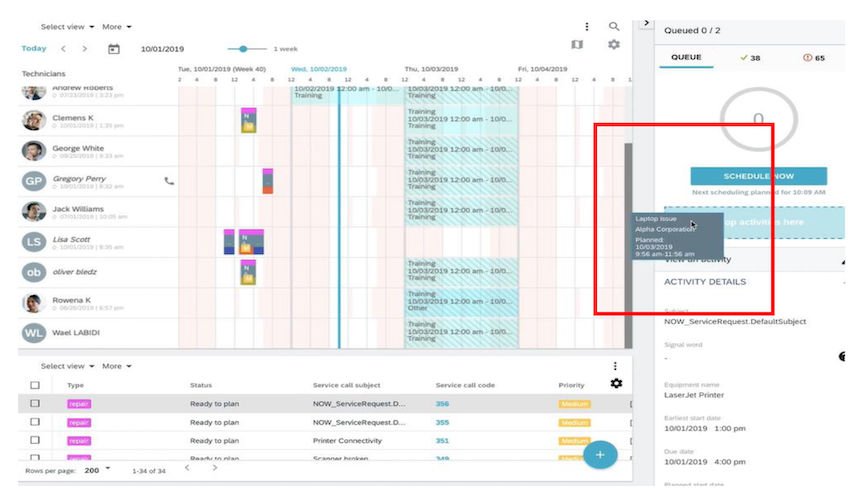
The below picture shows what the top of the Dispatching Board generally looks like. It shows all the assignments planned for a technician on each day. For the ease of readability, the assignments are color coded as per the status. Color coding also makes it easier for dispatchers to allocate technicians quickly based on their availability.
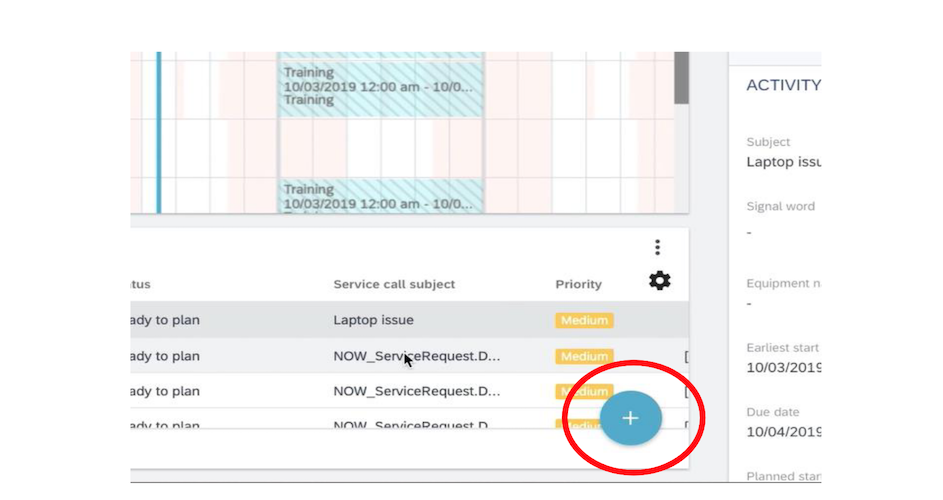
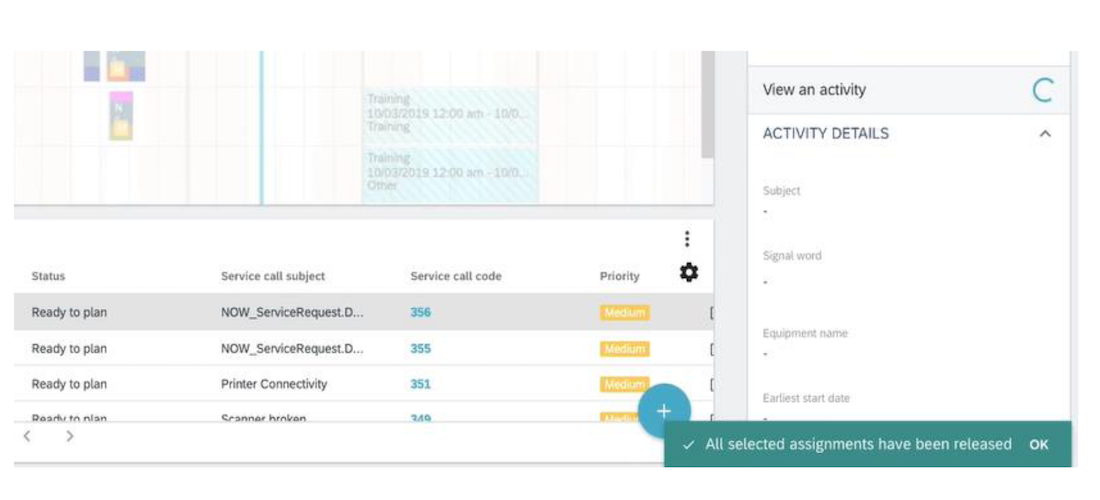
At the bottom of the Dispatching Board is the service call list, as shown in the below picture. This is the list of service calls that are open and waiting on the technicians to be dispatched. The Plus button on the bottom right corner is used to create a new service call, which then gets added to this list.
The service calls can be filtered based on types / priority or any other job attributes. The technicians can be filtered based on first name, last name, position, territory etc.
Additionally, detailed information on each service call can be viewed, and additional information or attachments can be added using the ACTIVITY DETAILS panel on the bottom right as shown below.
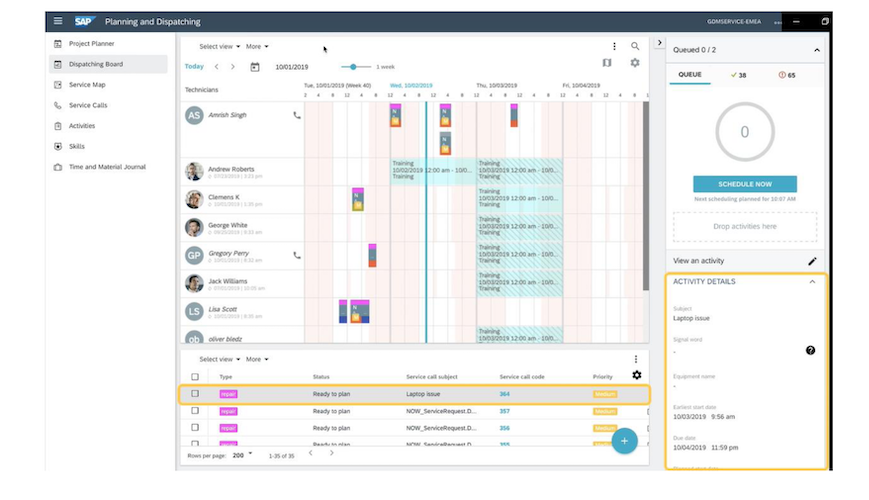
Thereafter, just a simple drag and drop of service call to the technician on the board will assign the task. Finally, to complete the process, the assignment needs to be released by clicking “RELEASE ASSIGNMENTS”, This would inform the technician of the newly assigned service call.
In this option, the dispatcher can find matching technicians for the Service call. The service call needs to be dragged as shown below to find a technician and this would generate a filtered list of matching list of technicians. The service call will then be assigned to a suggested technician. Thereafter, releasing the assignment will complete the process.
If you want to know more about our approach, request a consultation. For questions about how Accrete can help with your particular industry needs, contact us to learn more.